We ignite the new LED revolution


Supports.


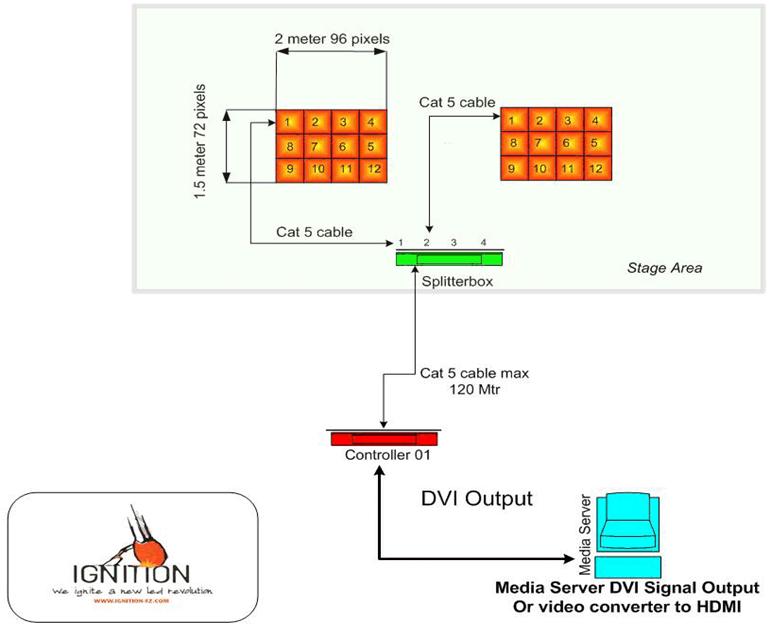
Sample for easy set-up for 2 screens:


sample connection
 

Step 1, daisy chain the screens in any sequence.


Step 2  connect the first data input with one of the 9 output lines of the splitter placed on the stage.


Step 3 Repeat step 1 and 2 for the second screen.


Step 4 Connect the splitter with one Cat5 cable to the controller placed FOH.


Step 5 Connect the controller to any pc and DVI output.


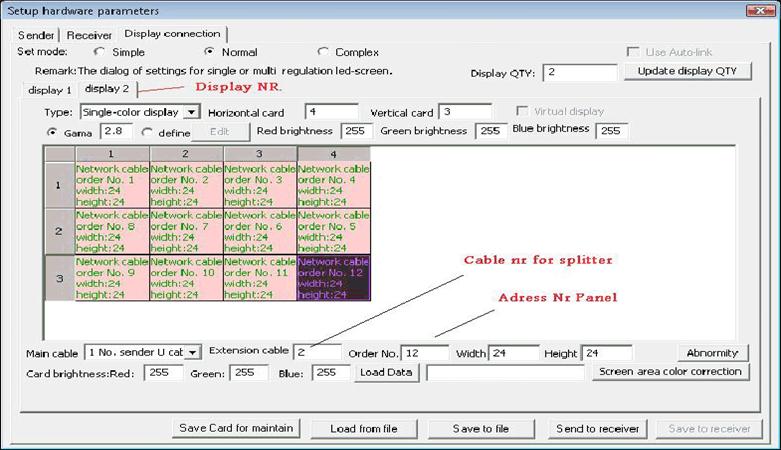
Step 6 Open the LED Studio software and configure the screens in the sequence as connected.


hardware setup
 

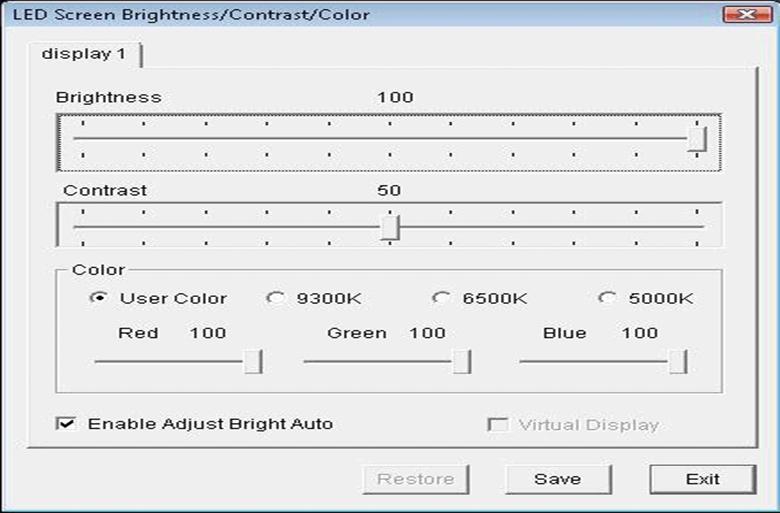
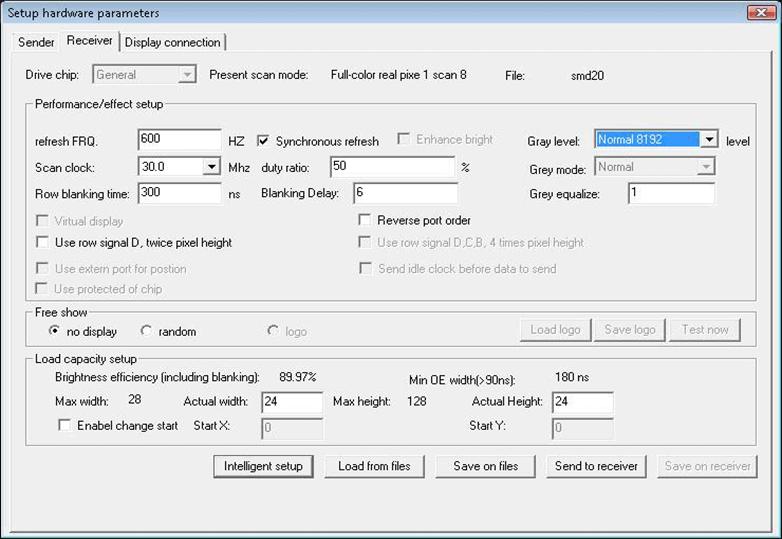
Step 7 Adjust color, frequency etc


colour control


LED settings


As we all know, LED is a state-of- the art technology.

Even though the design of the Ignition products is Rock & Roll proof, problems might occur.
 

Thats why it is important to solve issues easy and fast.

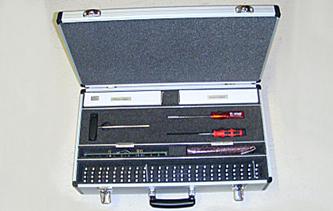
With the Ignition Tool case you have a professional case with all tools and spare-parts available to do a quick repair on tour if needed.

 
  • Spare power supply
  • Crimper for Harting connectors
  • T Joint for side locks
  • Screwdrivers to remove strips
  • Spare Receiver card
  • Spare PCB backboard
  • Spare flat cables
  • Spare screws and nuts
  • Spare LED strips
 

Ignition LED-screen toolkit


Privacy Statement    |    FAQ    |    Contact Us

Copyright © 2008 IGNITION-FZ. All Rights Reserved.